How to Create a Demo Account on MetaTrader 4
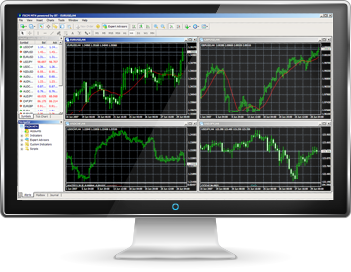
MetaTrader 4 (MT4) is a widely-used platform for trading forex, analyzing financial markets, and utilizing expert advisors. If you’re new to MT4 or want to practice trading without risking real money, creating a demo account is an excellent way to get started. This guide will walk you through the step-by-step process of setting up a demo account on metatrader 4 for windows.
Download and Install MetaTrader 4
First, you’ll need to download the MetaTrader 4 platform. You can do this from the official MetaQuotes website or your broker’s site if they provide a customized version of MT4. Follow these steps:
1. Go to the MetaQuotes website or your broker’s website.
2. Find the download link for MetaTrader 4.
3. Click on the link to download the installation file.
4. Run the installation file and follow the on-screen instructions to install MT4 on your computer.
Launch MetaTrader 4
After installing the software, launch MetaTrader 4 by double-clicking the desktop icon or finding it in your start menu. When you open the platform for the first time, a login window will appear. Ignore this for now, as we need to create your demo account first.
Open a Demo Account
To open a demo account, follow these steps:
1. In the MetaTrader 4 platform, go to the File menu at the top left corner.
2. Select Open an Account from the dropdown menu.
3. A new window will appear showing a list of available servers. Choose a demo server and click Next.
4. Select New Demo Account and click Next again.
Fill in Your Details
You will now need to fill in your personal details and account preferences:
1. Enter your name, email address, and phone number.
2. Choose your account type, deposit amount, and leverage.
3. Check the box that says I agree to subscribe to your newsletters if you want to receive updates.
4. Click Next to proceed.
Receive Your Account Information
Once you’ve completed the form and clicked Next, MetaTrader 4 will generate your demo account details, including your login and password. Make sure to save this information in a secure place. Click Finish to complete the setup.
Log In to Your Demo Account
Now that your demo account is set up, you can log in:
1. Go to the File menu and select Login to Trade Account.
2. Enter your login and password details.
3. Select the appropriate demo server.
4. Click Login.
Congratulations! You have successfully created a demo account on MetaTrader 4. Use this account to explore the platform, practice trading strategies, and familiarize yourself with the tools and features available. Happy trading!